Hosting Plans
Transparent, scalable pricing tailored to your business needs.
Need more than hosting? View All Services
Web Hosting Signup
Get started with Solutions Networks Hosting
Turn your ChatGPT-generated HTML into a live webpage with Solutions Networks web hosting. Get affordable hosting, upload your files, and launch fast.
Get Started See Real ExamplesTransparent, scalable pricing tailored to your business needs.
Need more than hosting? View All Services
Get started with Solutions Networks Hosting
Here is a real example of how a customer can go from a prompt in ChatGPT to HTML code, save the file in Notepad, upload it through FTP, and open the final live webpage online.
Start by telling ChatGPT exactly what kind of webpage you want.
After ChatGPT gives you the code, copy it into Notepad and save it correctly as an HTML file.
Use an FTP program like FileZilla to connect to your hosting account and upload the HTML file into your assigned web directory.
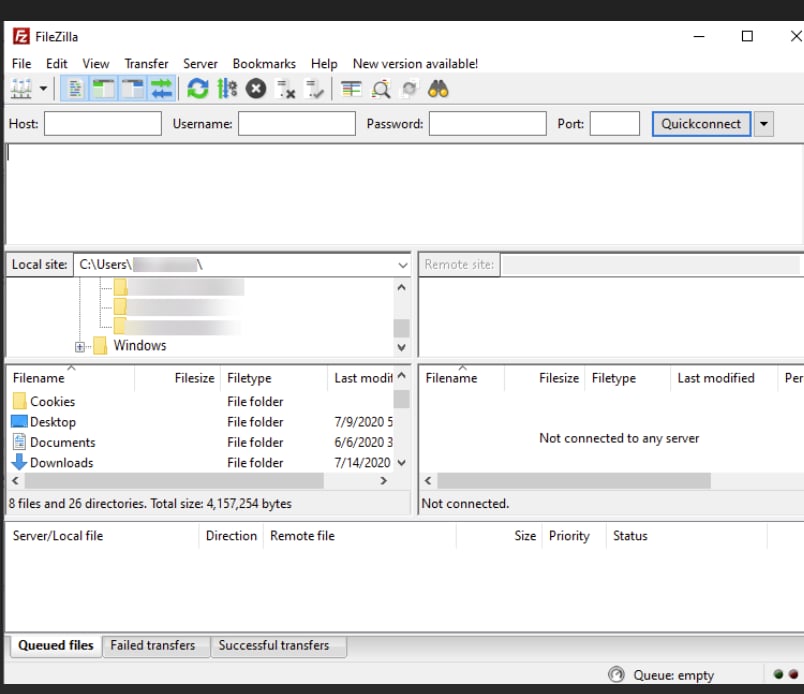
Once uploaded, open the file in your browser using its public web address.
Solutions Networks helps organizations align technology with business goals through integrated marketing, networking, hosting, and operational solutions.
Serving businesses throughout Georgia and beyond, we bridge the gap between infrastructure and real-world execution.
📞 678-565-8561
✉ info@solutionsnetworks.net